

There are a few different ways to structure your models within SOLIDWORKS.
At the highest level, there are two main modelling techniques: Top-Down and Bottom-Up.
- Bottom-Up modelling is the more traditional approach. You create parts individually, then bring them together in an assembly.
- Top-Down modelling lets you design parts in context — referencing a block model, skeleton sketch and other components for setting out.
Setting out your SOLIDWORKS project
Creating a master model can be a great way to organise your project from the start. It acts as a clear reference for your design, making future updates and modifications much easier.
We suggest using a block model and/or a skeleton sketch to set out the project.
You might want to use a block model for the survey and a skeleton sketch for the critical setting out points.
Changes always occur during the journey of a project and using these methods means you can modify the model with clarity and efficiency.
SOLIDWORKS Configurations
Configurations let you create variations of parts or assemblies within a single file, which is especially useful if a part or sub-assembly is used multiple times.
Instead of deleting and replacing components when something changes — like a lifting hole or connection point — you can create a new configuration, keeping everything consistent.
Use them wisely and avoid overcomplicating things. Keeping configurations simple makes your models easier to manage and reduces the risk of errors.
Single and Multi-Body Weldment Modelling
Many SOLIDWORKS users choose the multi-body weldment modelling technique because it can appear easier and quicker to work with — and in some cases, it is. However, it’s often the single-body weldment and configuration-based modelling approach that truly makes your model more powerful.
This method not only makes your models easier to modify but also ensures that fabrication drawings and related SOLIDWORKS properties remain trackable throughout the project. In my experience, single-body weldment modelling offers far greater control and reliability across the entire project.
Sheet Metal Feature
I often make use of the Sheet Metal feature in SOLIDWORKS and have set up gauge tables to maintain consistent results for bend allowances every time I use it. This setup not only improves efficiency but also helps eliminate potential human error, ensuring accurate and repeatable outcomes in every design.
Surfacing Tools
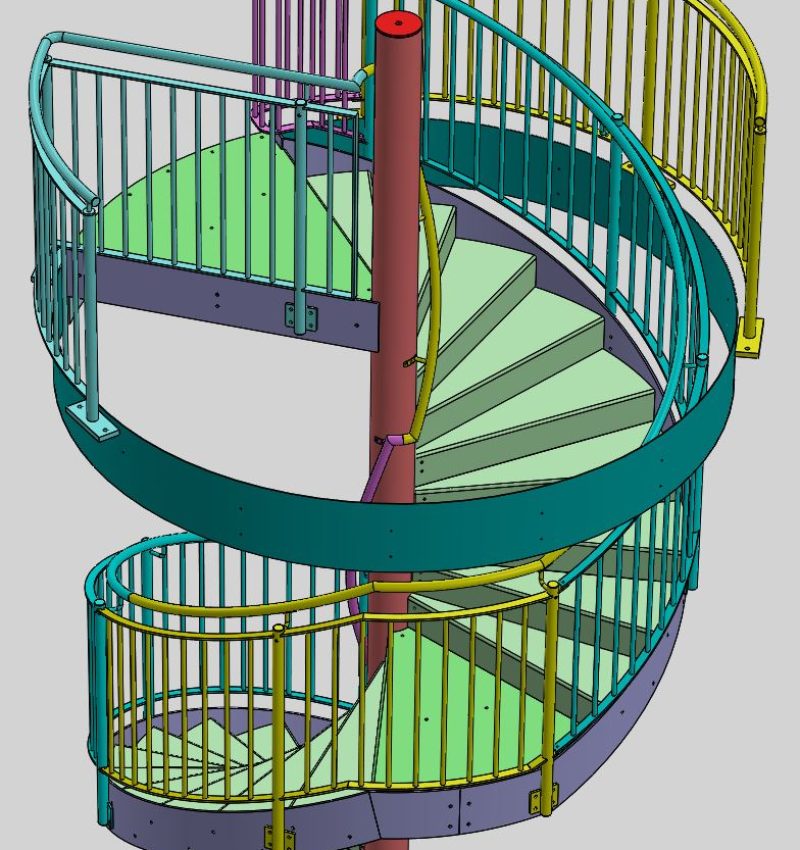
Surfacing tools in SOLIDWORKS can be incredibly useful for a variety of applications. They’re especially handy for designing rolled parts, such as spiral or helical staircases, and can also be valuable when working with site surveys or complex geometries that require precise surface control.
My Recommended approach
Solid-Fabs supports every modelling technique — but through experience, I have found the most effective workflow to be Top-Down modelling using a master model (block or / and skeleton) as a reference.
Utilizing, single body weldment and configuration modelling with sheet metal and surfacing tools when called upon.
This approach gives you full control over your parametric models and ensures complete traceability for every part and sub assembly.
Solid-Fabs was created to support this workflow in particular, allowing all fabrication drawings to be efficiently exported into a fabrication pack tailored to the fabricators needs.